
See what changed between two dates.
Capture the site again and both dates sit in the same place. Compare them four ways: single, split, side by side or overlay.
Gold Coast · Brisbane · Northern Rivers and beyond
Site Atlas turns a 3D capture of your site into a map anyone can open in a browser. Click a lot, a home or an apartment to see its listing, its build stage, its plans and its photos. Capture it again and see what changed.
Quick answer Site Atlas is Kybos’s interactive 3D map for developments: every lot, stage and capture in one place, opened from one link in any browser with nothing to install. It stays private until you choose a password or open it to everyone.
Nothing to install · Works on a phone
Last updated
A 25-second demo, drawn live in your browser from the real Site Atlas: the site report, two drone flights compared, one lot opened and a link shared. Click a step under the window to jump to it.
Capture the site again and both dates sit in the same place. Compare them four ways: single, split, side by side or overlay.
Lot boundaries come from the official NSW and QLD records, or from your own plan, and sit on the ground where they belong.
Drop a pin on the pool, the kitchen or the entrance. Visitors click it and step inside. Play tour flies them around every stop.
Plans, photos, brochures and reports open from the lot they belong to. No more hunting through shared folders.
Click two points on the capture and read the distance between them.
Pick a level and the building opens there, with each apartment outlined, named and showing its stage.
Each project has one link and three settings: off, password or open. You choose.
A visitor looking at a lot can register interest or request a report from that lot’s card. The message arrives by email, naming the lot they were looking at.
A buyer and a site manager look at the same ground and want different things. Each kind of Atlas site shows only what its audience needs.
A drone flight for the whole site. A 3D walkthrough or a laser scan for the insides, where you need them.
Lots are outlined on the capture. Send a spreadsheet of lots and a folder of plans and photos, and they are filed where they belong.
It opens in any browser, on a computer or a phone. It stays private until you choose a password or open it to everyone.
Each new capture is lined up with the first and added to the timeline, so the site’s history builds up in one place.
A land estate, a property and a 25-storey tower. Each one is a live Atlas site, kept private, so ask us for access. Best on Wi-Fi, because they are large 3D scenes.
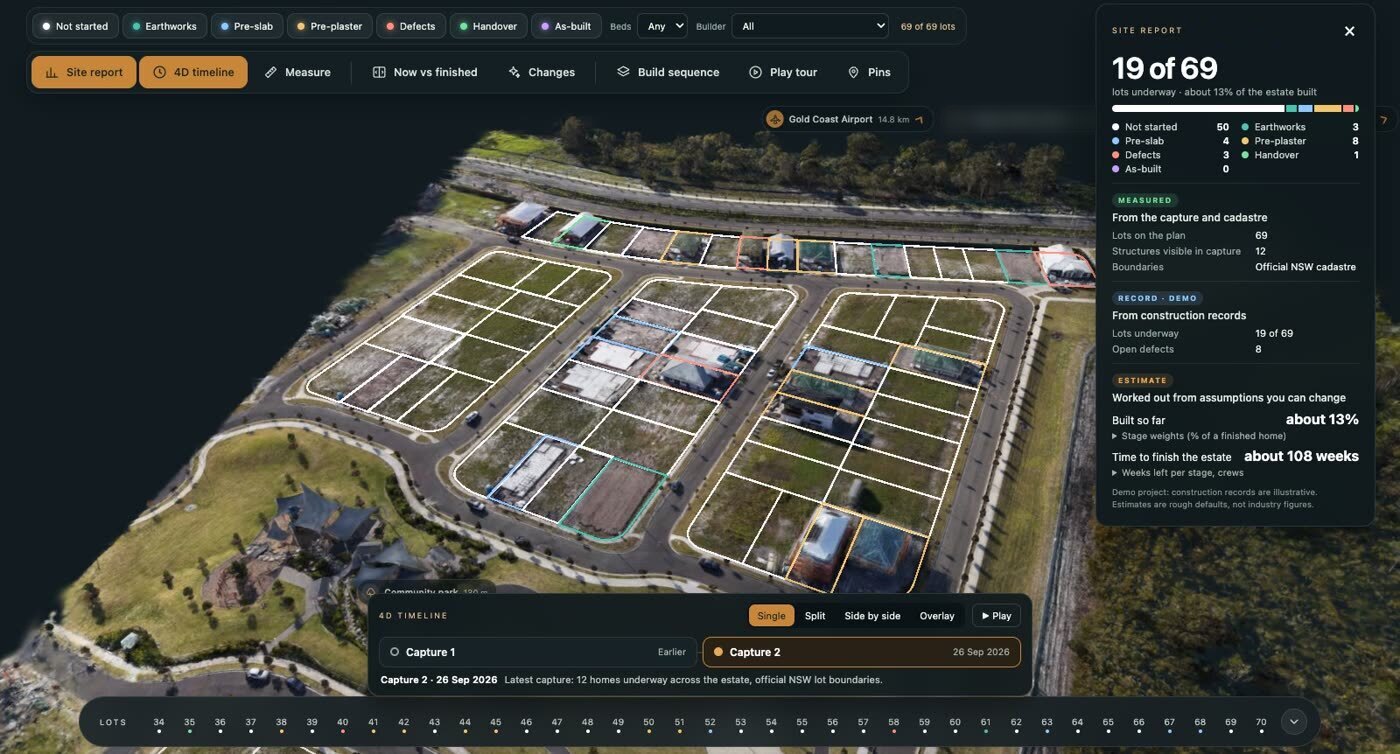
A 69-lot estate, captured by drone on two dates. Every lot is outlined on the ground and coloured by its build stage, with a site report, a 4D timeline to compare the two dates, and official NSW lot boundaries. The capture is real; its construction records are examples.
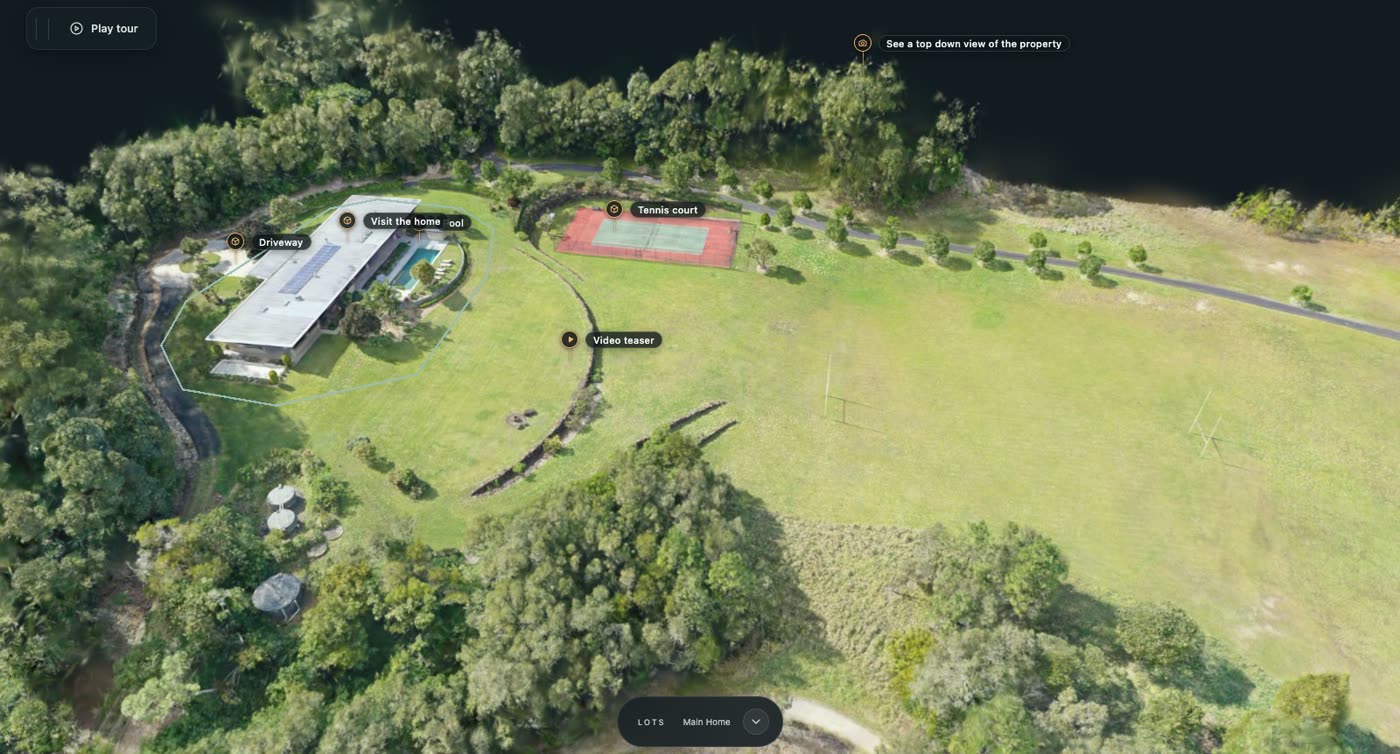
A rural property, shown the way a buyer wants to see it, so they can explore the whole place before the first visit. Pins open 3D tours of the home, the pool and the tennis court, and Play tour flies a visitor around the property.
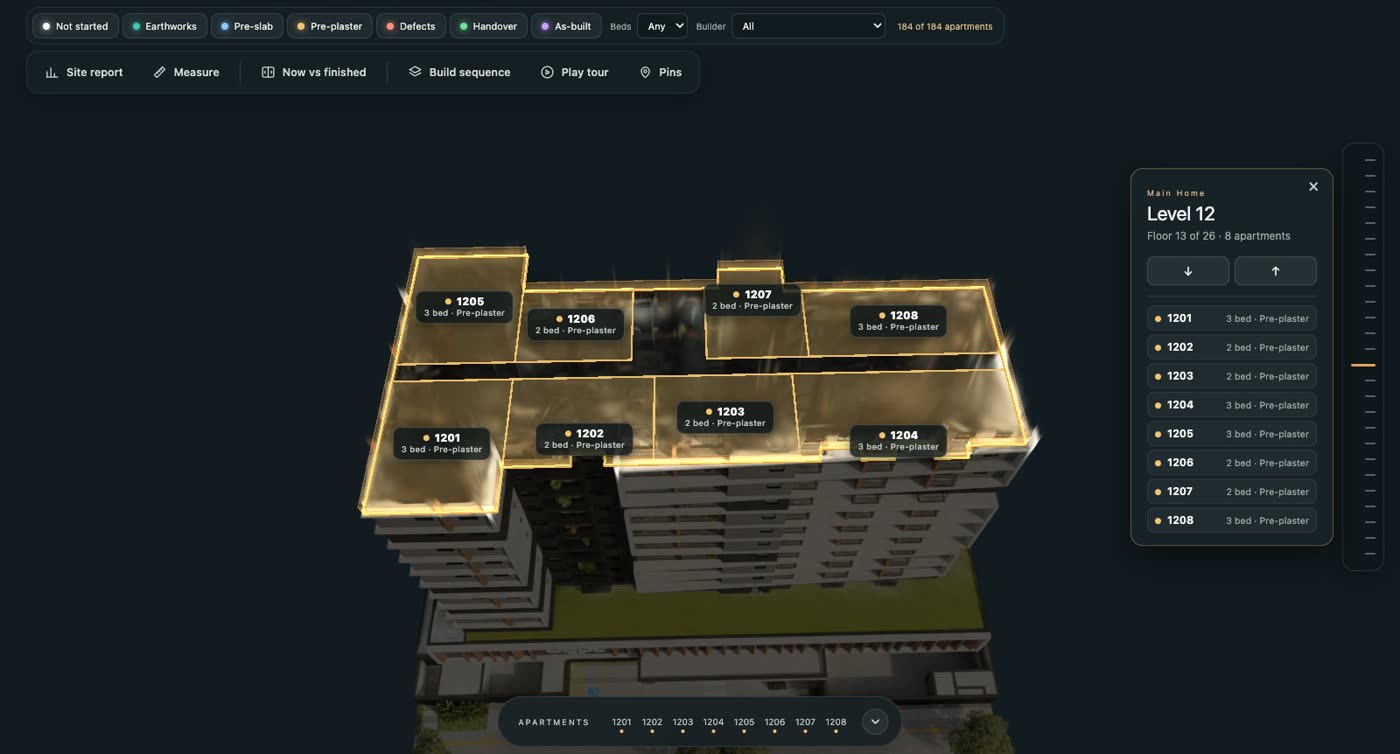
Broadbeach demo: 184 apartments across 25 levels. Pick a level and the building opens at that floor, every apartment outlined, named and showing its build stage. Filter by stage, bedrooms or builder. A demo project, with example apartment records.
No. An Atlas site is a web page. It opens from a link in the browser people already have, on a computer, a tablet or a phone.
Only who you decide. Every project starts switched off. You can then give it a password to share with your team or your client, or open it to anyone who has the link. You can change this at any time.
No. Site Atlas is spatial documentation, not a certified survey. It shows the site as it was on the day of the capture, and it is a record you can look at, measure on and share. It does not replace a registered surveyor.
The address of the site and access to capture it. If you have them: a list of lots (a spreadsheet is fine), and any plans, photos or brochures you want attached. For a single property, a map link and the property’s web page are enough to start.
In New South Wales and Queensland, from the official land records. Anywhere else, or for stages not yet registered, from your own plan, laid over the capture and matched to it.
It depends on the size of the site and how often it is captured. Tell us about the site and we will send a quote.
Book a 15-minute call, or tell us about the site and a tailored quote comes back within 24 hours.
Get a quote